Work Order Software
Resolve work orders faster

Take control of reactive repairs and preventive maintenance tasks. Reduce response times. Get ahead of issues. Keep your team moving forward.
Find out more about these key features
Work Order Software, Built for K-12
Resolve work orders faster

Take control of repairs and PMs across your entire campus or school district. Reduce response times. Get ahead of issues. Keep your team moving forward.
Find out more about these key features
Work Order System for Higher Education
Take control of work orders across campus

Centralize management of reactive repairs and preventive maintenance tasks, built for maintenance teams at colleges and universities.
Find out more about these key features
Work Order Management for Non-Profits
Resolve facility work orders faster
Set up a work order process that keeps your team efficient. Ensure that your facilities can best support your community and mission.
Find out more about these key features
Work order management software powers productive teams

6X faster
work order resolution time

80% reduction
work order resolution time

data visibility
justified new equipment purchases

88% decrease
overdue requests
Explore the key features of work order software


Work requests & assignment
Streamline your entire maintenance process, from submission to technician deployment.
Simplify ticket submission process
Empower employees and other stakeholders to report issues quickly and easily.
Auto-assign work orders to technicians
Instantly route incoming work orders to the most appropriate technician based on skill, location, or availability.
Balance technician workload
Allocate tasks across your team with the Work List view.
Auto-generate work
Automatically generate work orders from BAS alarms.
Do it all on the go with the mobile app
Close out work orders and create tickets from anywhere using your mobile device.
Inventory & cost tracking
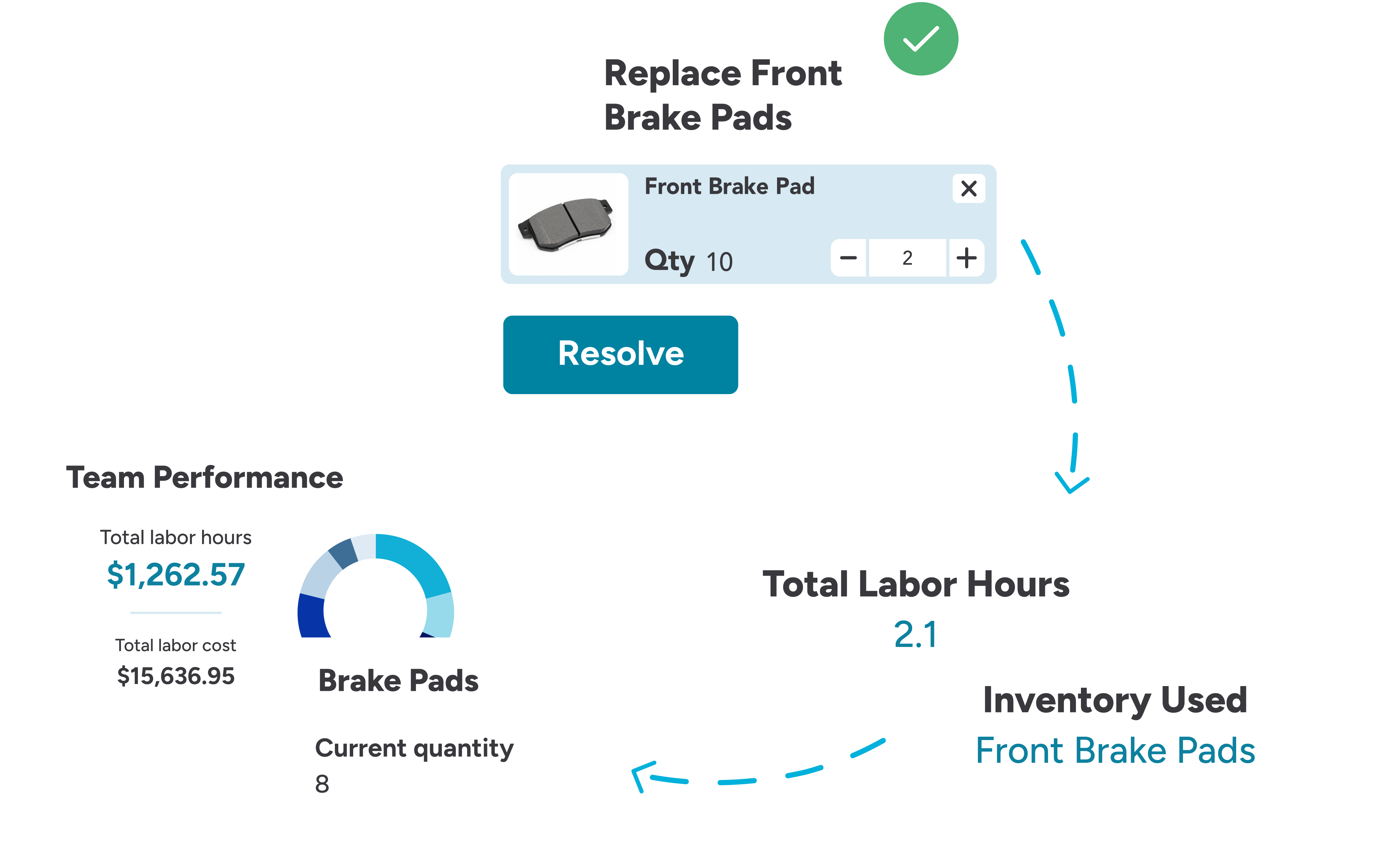
Gain control over maintenance spend by accurately tracking labor, parts, and costs associated with every work order.
Track labor hours and cost
Capture technician labor time and associated costs for every work order to inform budgeting and headcount needs.
Associate parts inventory with work orders
Automatically update on-hand inventory quantities when parts are used to close out a work order.

Interactive work order mapping
Leverage maps to view open work order locations and critical assets to properly route technicians.
View open work orders on a map
Visualize all open work orders on your floor plan to optimize technician routes.
Locate assets
Locate safety equipment, shut-off valves, and other critical assets instantly on a map to improve work order response and resolution time.
Upload floor plans and images
Upload building floor plans to create a dynamic, visual map of your entire organization.

Compliance management
Prepare for audits with a comprehensive, searchable record of all work, documentation, and certifications in one centralized location.
Document work order trails
Maintain a complete, auditable maintenance history of every action and change made to a work order from creation to completion.
Access certificates
Access and attach necessary compliance documentation, such as disposal certificates and certificates of destruction, directly to work orders.
Upload manuals and documentation
Store and instantly retrieve equipment manuals and other technical documents.
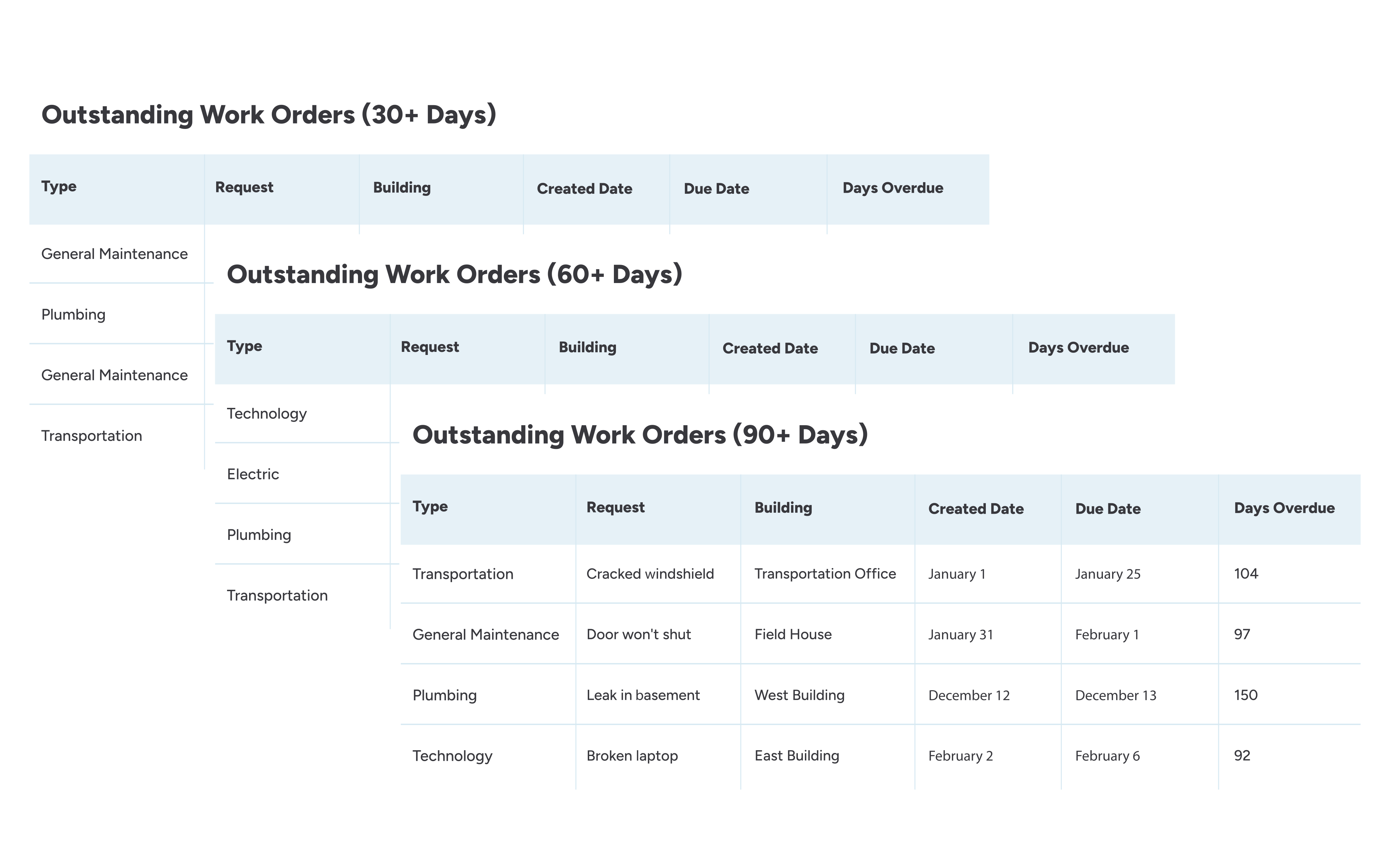
Reports to monitor work order performance


Frequently asked questions about work order management software
What types of tasks can work order software manage (e.g., preventive, corrective, inspection)?
Work order management software can help teams manage reactive work requests, preventive maintenance, inspections, and corrective maintenance tasks. It can also be configured to process information tailored to different specialties like HVAC, electrical, carpentry, machinery, fleet, athletic fields, incident reporting, and so on.
We recommend tracking corrective work and preventive work (such as inspections and preventive maintenance) in separate locations for clear workflow tracking purposes.
You can create tasks manually or have them generated automatically from inspections, scheduled (PM) occurrences, or external integrations.
Can work order systems automatically assign requests to technicians?
Yes, work order software can automatically assign work requests to technicians based on their specialty, skill set, workload, location, and other relevant factors.
Can work order software automatically generate work orders?
Yes, work order software can automatically generate work orders after a failed inspection or when an alarm is triggered from a building automation system for events like equipment failures.
How does a work order system track and update inventory quantities?
When technicians close out work orders, work order systems can require entry of the parts and supplies used to complete the work.
This can pull from parts inventory stored in the system and automatically update quantities. When inventory reaches the reorder point (set by you), it will alert you to order more.
Is it possible for different users to have different permissions in a work order system?
Absolutely. Work order software enables your organization to establish various user types. Each user type can have different permissions and visibility according to your team’s preferences. For instance, you can ensure that your HVAC technicians only see heating and cooling-related tickets.
What is the difference between cloud-based vs. on-premises work order management?
Cloud-based systems are hosted online and accessed through a web browser or mobile app. Organizations benefit from automatic backups, real-time updates, mobile accessibility, and faster deployment across multiple locations.
On-premises systems run on servers located within the organization’s computer network. While on-premises systems offer more direct control over hardware and security configurations, they typically require more maintenance, larger upfront costs, dedicated IT support, and slower upgrade cycles.
Most organizations choose cloud-based solutions because they are easier to support across large, distributed environments. Cloud-based systems deliver greater accessibility, faster implementation, and lower long-term maintenance.
How much does work order management software cost?
The cost of work order software varies depending on the features you need, the size of your team, and deployment preferences.
Several elements influence the final price:
- Number of users. More users generally mean higher costs.
- Feature set. Adding inventory management, reporting dashboards, or integrations increases value (and price).
- Support level. Premium support (dedicated account managers, faster SLAs) may be extra.
- Customization and implementation. Tailored workflows or custom integrations typically require additional investment.
Most modern work order platforms use a monthly or annual subscription model. Pricing often scales with the number of users or locations:
- Small teams often start in the low hundreds per month.
- Mid-size organizations commonly range from hundreds to a few thousand dollars per month.
Enterprise customers can reach several thousand per month depending on scale and complexity.
What is the difference between a CMMS and a work order system?
A work order system and a CMMS (computerized maintenance management system) are closely related, but they differ in scope and long-term impact.
A work order system focuses on the basics of maintenance execution. It helps teams create, assign, track, and close work requests. This is often the first step beyond paper forms, emails, or spreadsheets. Work order systems are typically simpler, faster to adopt, and ideal for teams that need better visibility into day-to-day maintenance tasks and response times.
A CMMS includes all core work order functionality but expands into broader asset and maintenance management. In addition to managing work requests, a CMMS supports preventive maintenance scheduling, asset tracking, reporting, parts inventory tracking, and compliance documentation.
For many organizations, the choice depends on where they are in their maintenance maturity. Teams looking to organize requests and improve communication may start with a work order system. As operations grow or become more complex, a CMMS provides the structure needed to reduce downtime, extend asset life, and plan maintenance more strategically.
In practice, many modern solutions combine both approaches, allowing organizations to start simple with work order tracking and expand into full CMMS capabilities as their needs evolve.
What should my organization expect when implementing work order software?
Implementing a digital work order system is typically a manageable, well-supported process, especially when the vendor provides guided onboarding. Most teams can expect a structured rollout that balances quick wins with thoughtful setup.
Initial setup and guided implementation usually begins with a discovery phase. During this stage, teams align on goals and workflows so the system can be configured to reflect how maintenance actually happens day to day. A guided approach helps configure locations, assets, request categories, user roles, and approval flows without overwhelming the team or requiring deep technical expertise.
Data migration is often supported, so be sure to ask the vendor about this up-front. Teams can expect help importing key information such as locations, assets, preventive maintenance schedules, and open work orders from spreadsheets or legacy systems. Note that some legacy systems do not allow exporting of data, or the volume of historical data can be prohibitive. In that case, the historical data can sometimes be imported in an archival format.
Training and support are built into the process. Guided implementations often include role-based training, documentation, and hands-on support to ensure both administrators and technicians feel confident using the system from day one.
User adoption is typically smooth, especially when the platform includes an intuitive interface and mobile access. Technicians gain clearer priorities and easier access to work details, while requesters benefit from simple submission and transparent status updates.
How do I choose work order management software that’s the best fit for my organization?
It’s important to choose a work order management solution that aligns with how your team works today and where you want to go tomorrow.
Consider these best practices:
- Start with your team’s needs and requirements, including your desired work order workflows, mobile access, integrations with existing systems.
- Look for an intuitive user experience for requestors, field technicians, and day-to-day management and reporting tasks.
- Consider implementation support to assist with planning, configuration, initial setup, and ongoing training.
- Evaluate data migration options for your current archive of work order data.
- Assess the scalability and growth path that lets you start with core work order management and expand into broader capabilities like preventive maintenance, asset tracking, analytics, and capital planning.
- Check the customer support and user community for comprehensive documentation, training sessions, and dedicated support channels.
- Compare total cost of ownership beyond licensing fees, including professional services fees, training costs, costs to migrate data or configure custom workflows, and ongoing support and future feature needs.
- Try before you buy with a guided demo or trial period.
The best fit isn’t always the most feature-packed or cheapest solution; it’s the one that best matches your team’s workflow, offers strong implementation support, scales with your needs, and delivers value from day one.
What is work order management software?
Work order management is a maintenance management strategy adopted by organizations of various sizes and industries. It gives maintenance teams the ability to identify needs, create and assign work orders accordingly, track end-to-end progress, and review maintenance histories.
The best work order systems enable organizations to manage all of this in one centralized platform. Users can submit and manage work orders on the go, and maintenance managers can analyze technician and facility performance at any time, from anywhere.
Work order management software is a common feature of CMMS software (computerized maintenance management system).
Products to optimize your work order process
FMX’s suite of products was built to help you increase productivity and reduce costs. As a bonus, it’s the easiest-to-use work order system on the market.

Track work orders from start to finish to eliminate backlogs and keep your team moving forward. Easily schedule preventive maintenance to avoid unexpected downtime.

Track inventory usage with each maintenance activity to keep an accurate supply count. Receive low-inventory level notifications to prevent stockouts.
Connect with a product specialist to learn how FMX can help you plan, manage, and optimize your work order management strategy.
FMX vs. free work order software
- FMX
- Free work order ticketing
Configure it your way
Set up auto-task assignment, work order flows, and more, to meet your organization’s processes.
- FMX
- Free work order ticketing
Asset database
Tie assets and equipment to work orders to monitor asset performance over time.
- FMX
- Free work order ticketing
Reactive and preventive work orders
Track PMs and inspections along with reactive maintenance needs.
- FMX
- Free work order ticketing
Store data for capital planning
Don’t just track work order status—leverage historical data trends to inform future capital projects.
- FMX
- Free work order ticketing
Maintenance teams increase productivity with FMX
Benefits of work order software
- Centralize all requests and eliminate the need to chase requesters for additional information.
- Increase response time.
- Ensure compliance by immediately creating work orders for critical issues.
- Maintain accurate inventory counts and avoid stock-outs.
- Optimize technician routing and reduce travel time.
- Simplify audits with a complete history of every action taken on a work order.
Learn more about buying and implementing work order management software
Talk with a product expert
Simplify the work order process from request to completion.
Frequently asked questions about FMX
How long does it typically take to implement FMX?
The FMX team creates an implementation and onboarding plan based on a 60-day timeframe. However, implementation and time to value are dependent upon your organization’s urgency, availability, and pace.
What kind of training and support is included with FMX?
FMX support includes the following:
- Ongoing support and communications: You receive lifetime support, with an average reported support ticket response time of ~4 hours.
- Implementation & onboarding: A structured implementation run by your Customer Success Manager (CSM). Implementation meetings include a kickoff, data review & pre-configuration (imports and templates), site review & admin training, and user-group training. FMX provides Excel import templates, and the CSM and Support Services team will assist with uploading data and configuring site settings.
- Training resources: You’ll receive role-based remote training sessions during implementation and access to a library of on-demand training videos and guides in the FMX Help Center. We offer optional onsite trainings, and paid configuration services are available if you want in-person help or deeper setup assistance.
Is FMX easy for non-technical employees to use?
Yes, FMX is designed to be easy to use for non-technical employees.
The product offers a simple web-based UI accessible from desktops and mobile devices, pre-built request forms, kiosk mode, mobile-friendly shortcuts, and numerous role-based training resources. This enables typical staff members (requesters, custodians, technicians, and drivers) to submit and track requests with minimal training.
How much does FMX’s work order software cost?
Pricing is based on products purchased and the number of users working on and closing out work orders.
If your organization is a public K-12 school, pricing is based on products purchased and students enrolled.
Does FMX integrate with other software?
Yes, FMX’s work order software integrates with several software systems that will be ready for use out of the box.
If FMX does not already have an integration in place, we offer services to set up a maintenance integration for your needs.